Description:
A powerful yet simple utility to launch a suite of applications with a single click. Fully customizable via a user-friendly GUI. Open source
🔥 Highlights:
· Beginner-Friendly: Simple interface designed for ease of use.
· Lightweight Tiny footprint (under 30MB).
· Custom Sequencing Launch up to 10 different apps with custom delays (default 5s).
· Portable: No installation required. Just copy, paste, and run.
· Instance Support: Run multiple independent configurations by placing the launcher in different
directories.
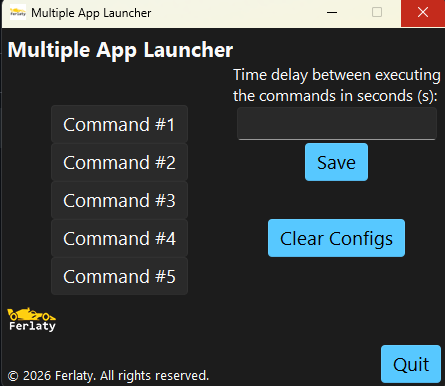
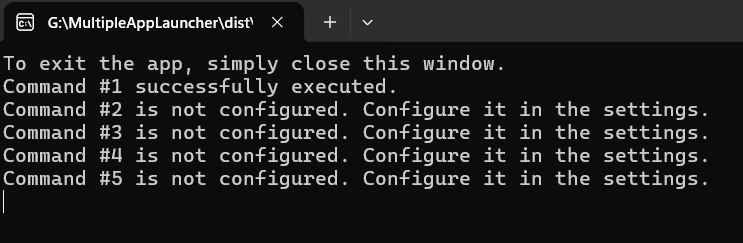
· Hybrid Interface: Features both a console based launcher and a settings app with GUI.
· Cross-platform compatibility: Supports both Windows and Linux.
⚙️ Source code
This project is an open source project. You can check the source
code here.
🚀 Quick Start (No Python Required)
1. Download: Head to the Download section and grab the latest version.
2. Extract: Unzip the archive to your preferred location.
3. Run: Execute multiple_app_launcher.exe on Windows, multiple_app_launcher on Linux.
4. Optional (Shortcut, Windows only): To access it from your Start Menu, paste a shortcut into: C:\ProgramData\Microsoft\Windows\Start Menu\Programs
🛠️ Installation from Source
Go to the GitHub documentation to get the instructions to install manually.
Support & Contact
· For support, questions, or feedback, feel free to message us at the 'Contact us' page. Please allow 24–48 hours for a reply.
What is changed in v1.4.1
· Added more file extensions into the menu.
· Fixed some typos in the settings app.
Thank you for supporting the Multiple App Launcher project! Your feedback helps
improve features and keeps
updates
coming.
Some pictures:
Download latest version
Download the latest version(v1.4.0) of the app(.zip). VirusTotal report for the .zip archive (Windows) and VirusTotal report for the .tar.gz archive (Linux)